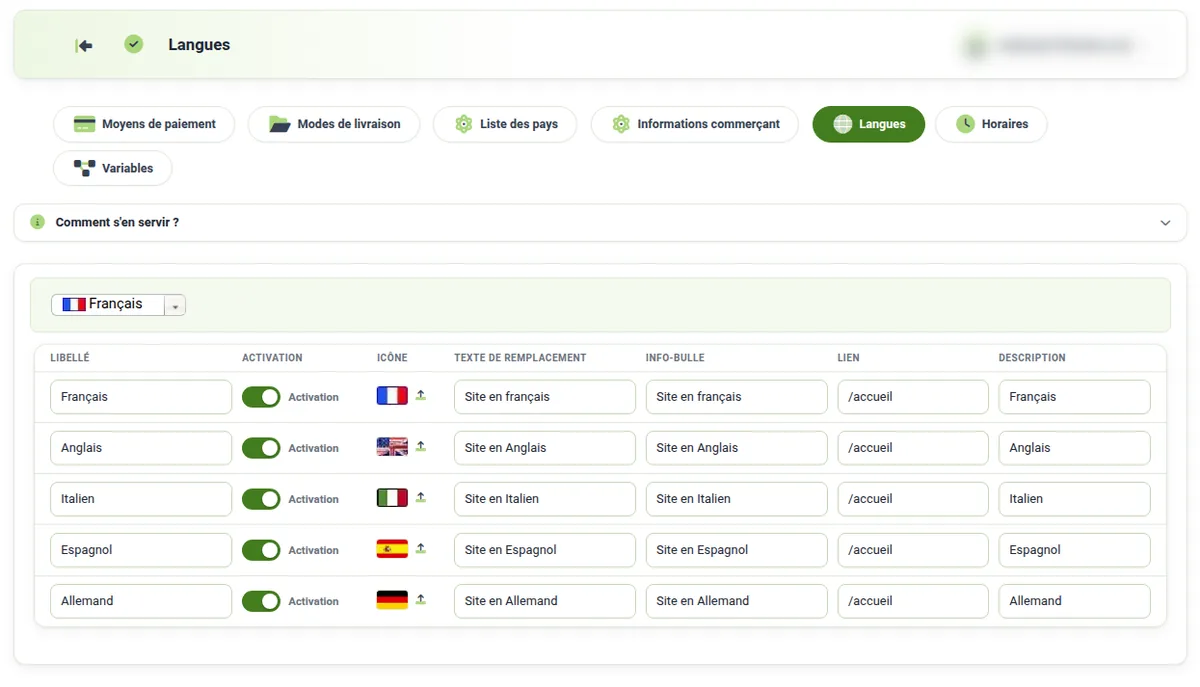
Yes. Your shop can be offered in French, English, German, Spanish and Italian. Activate the languages of your choice in the “Options” menu, “Languages” tab.
Automatic translation
On the input screens, the “Translate these texts automatically” button translates your texts that are empty or still in French. Then proofread the translations: you stay in control of every word.
What gets translated
- your products and your categories;
- your pages and your texts;
- your emails;
- your titles and descriptions for search engines;
- your images, if you want a different image for each language.
The back office in 15 languages
The back office speaks even more languages: 15. French, English, German, Spanish, Italian, Portuguese, Russian, Arabic, Chinese, Japanese, Hindi, Bengali, Urdu, Marathi and Indonesian. Pick yours with the flag below the left-hand menu: each manager keeps their own language, without changing the shop’s. French and English are active from the start; the others can be activated in “Settings”, “Managers’ languages”.
Why it helps
Each language has its own pages, which Google shows to users in their own language: you reach customers all over Europe.
See also: How do I manage several shops from a single interface?, How do I optimise my site for Google?.