In your back office, open the “Catalog” menu, then “Product list”, and click “Add a product”. Fill in the product page, save, and the product is ready. There is no limit on the number of products.
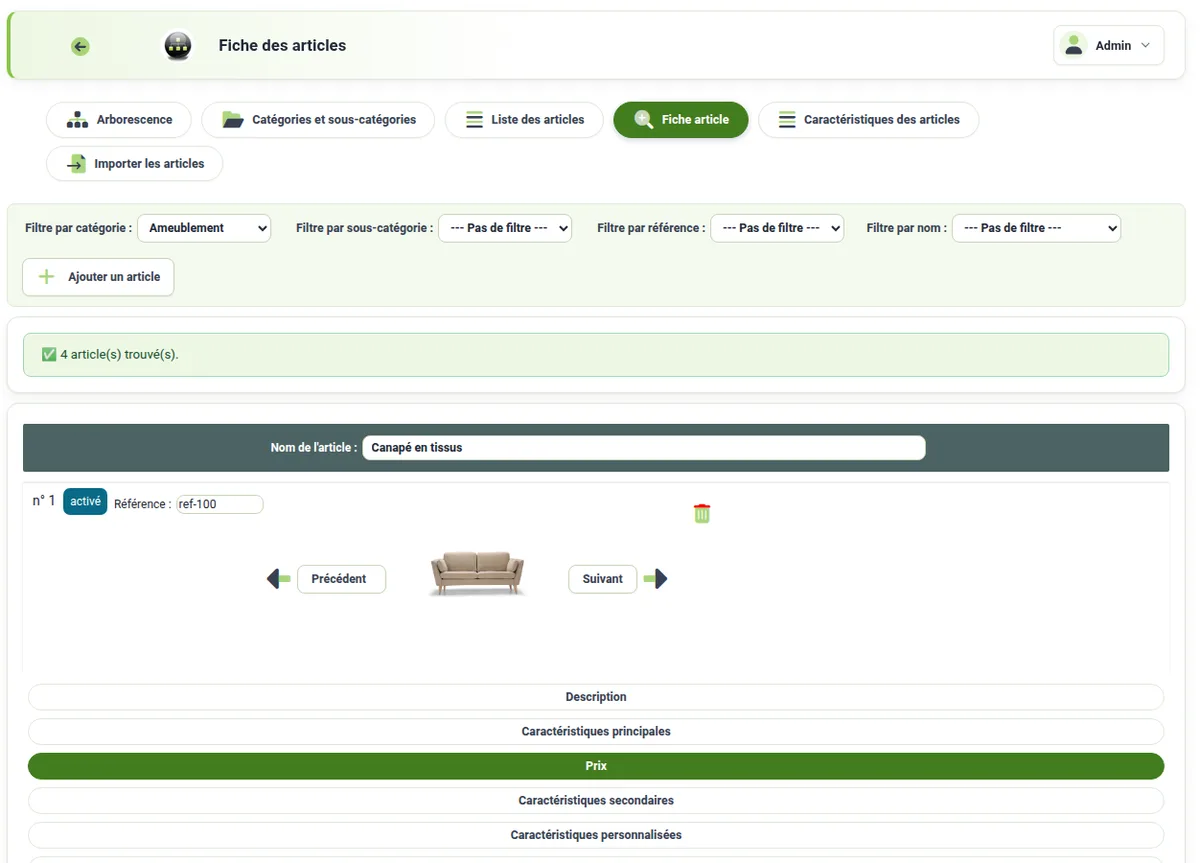
The product page
- Description: name, short description and long description, formatted as in a word processor, in each language of your shop (up to five: French, English, German, Spanish, Italian).
- Price: price and VAT specific to the product, with an optional discounted price.
- Features: stock, weight (used to calculate shipping costs), dimensions, size, colour, material, and custom features if yours do not fit in any box.
- Options for the customer to choose, with or without an extra charge, and a production or delivery lead time.
- Images: one main photo and four views (left, right, top, bottom), plus a video.
- Manual: a PDF file of 5 MB at most.
Good to know
- Do you sell one-of-a-kind pieces? Set the stock to 1: once the piece is sold, it can no longer be ordered, and you can leave it visible marked “Sold” (“Vendu”). It makes a good case for the next one.
- Tick “Discount”, “New” or “Featured” to highlight a product on the dedicated pages.
- Images are resized automatically, and you can reuse an image already in your catalogue.
Lots of products to add?
Rather than entering them one by one, use the “Catalog” menu, “Import products” tab. You upload a CSV file (reference, price excluding tax, name, description) and a ZIP archive of your photos. The products are created in one go, and the short descriptions are automatically translated into the other languages of your shop. All that is left is to check them and file them in their categories.
Take the time to polish the long description: it answers your customers’ questions, and Google’s too.
All the details on catalogue management.
See also: Which image formats can I use for my products?, How do I manage product categories?, How do I offer options on a product?.