In your back office, the “Active site” menu shows the available menus. A checkbox lets you show or hide each menu.
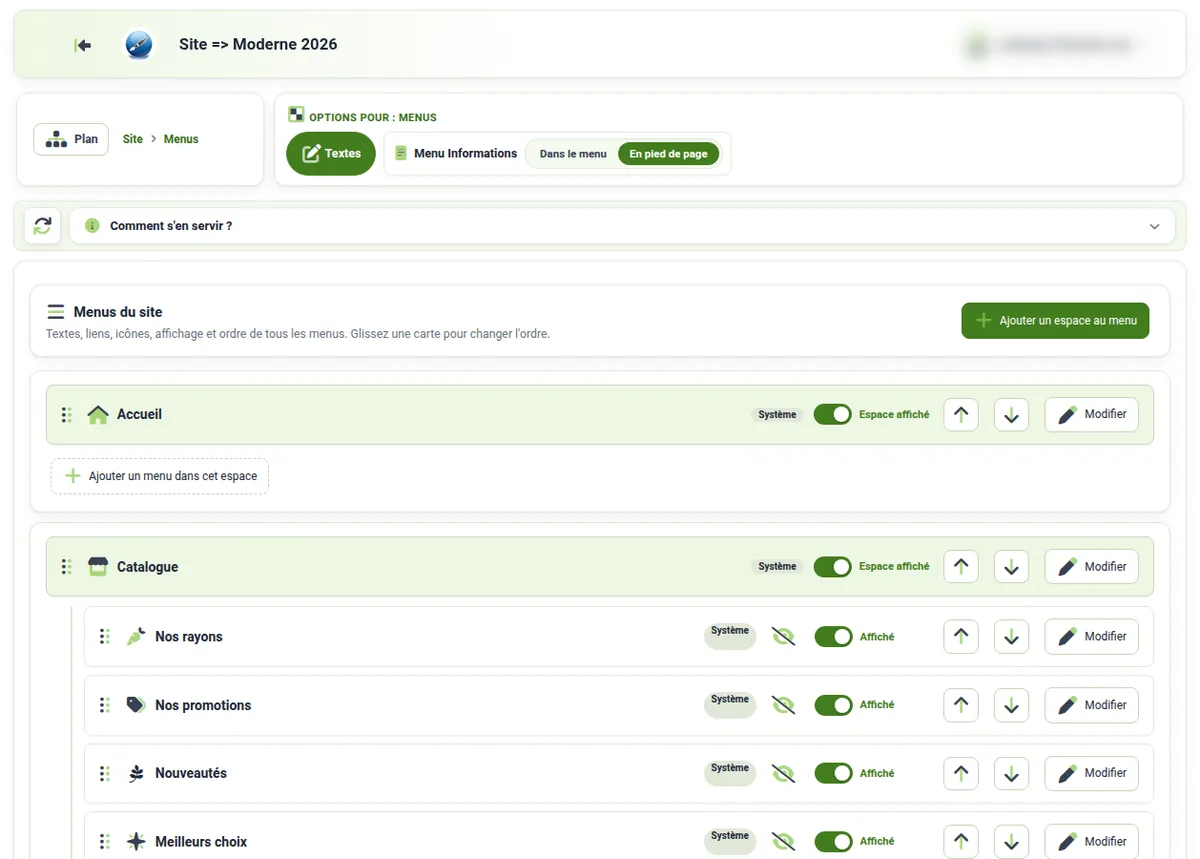
The same menu lets you browse every page. For each one, you choose the design options of every object on the page.
Your information pages
The “Pages” menu lets you write your information pages freely, in every language of your shop:
- “About us”;
- delivery methods and payment methods;
- terms and conditions of sale, for which a template is already provided;
- advertising pages.
Tips
- Keep your menus short: your customers find what they are looking for more quickly;
- a sincere and detailed “About us” page reassures your visitors and improves your search ranking.
Remember to publish your texts so that they appear on your online shop.
See also: How do I customise my design?, Do my terms and conditions of sale include the right of withdrawal?, How do I publish my changes to my online shop?.