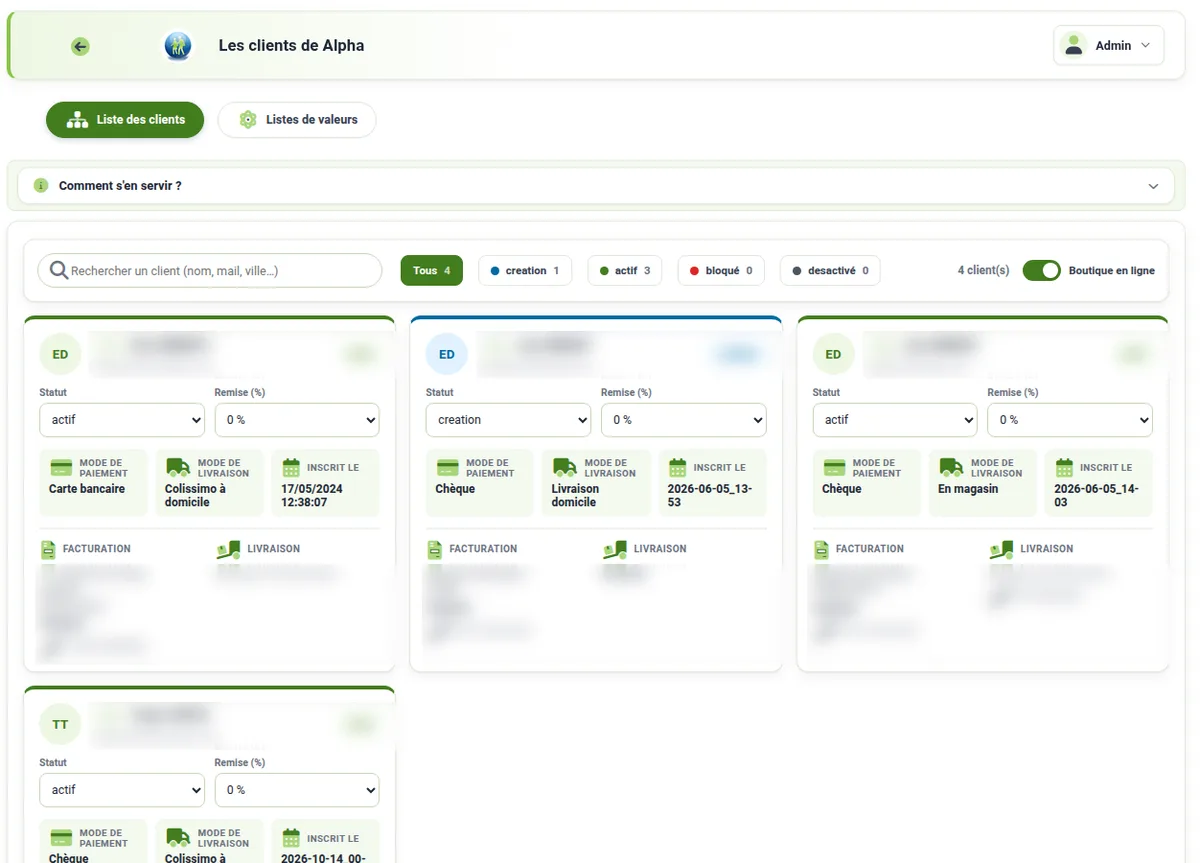
In the back office, open the “Customers” menu, “Customer list”. There you find each customer, their addresses and their registration date, with a search by name, email or town.
Granting a discount
Enter a percentage discount for the customer of your choice: they are notified by email.
Communicating with your customers
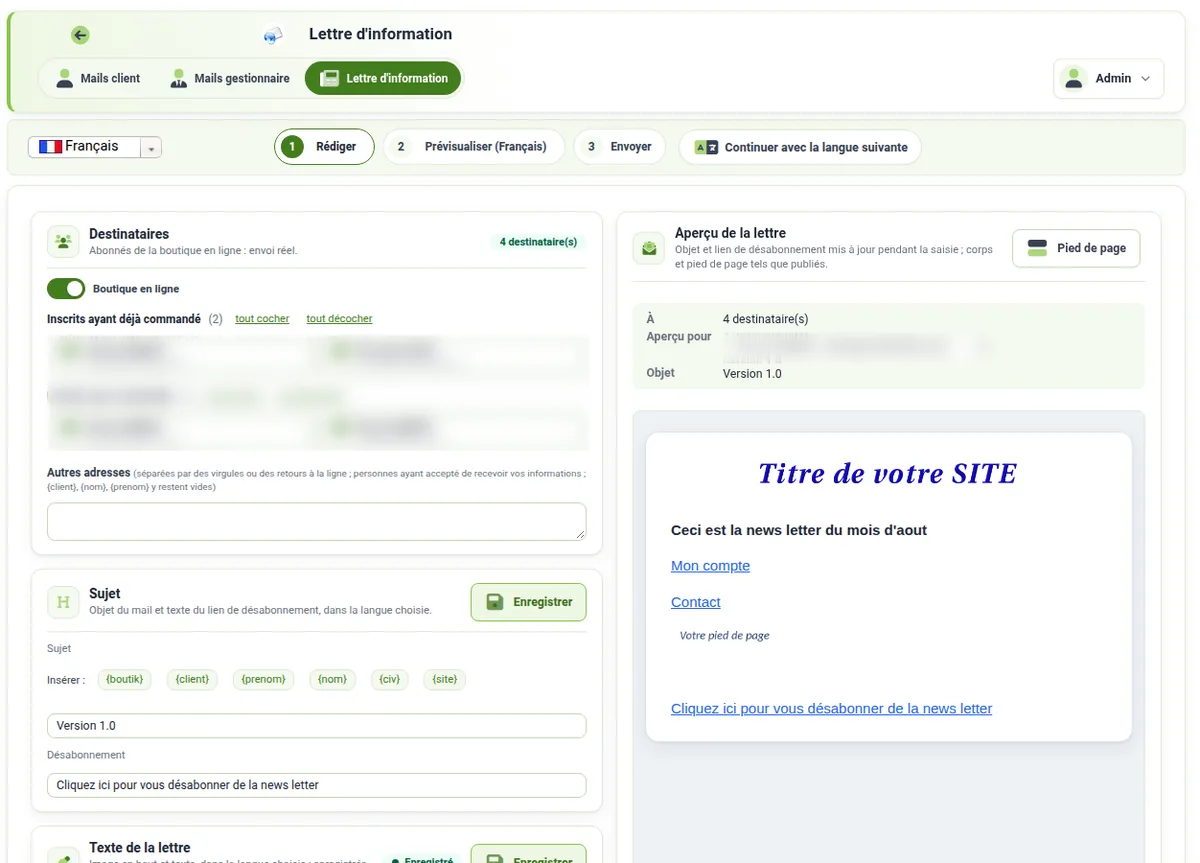
Send a newsletter from the “Emails” menu, “Newsletter”:
Building loyalty
The rules engine in the “Orders” menu rewards your loyal customers: a discount from a given number of orders, free points, a free product, free delivery.
See also: How do I put products on sale and offer free delivery?, How do I send a newsletter to my customers?, Which emails are sent automatically to my customers?.