Shipping costs depend on distance, weight, transit time and the type of packaging. You set them in the “Options” menu, “Delivery methods” tab, “Configure” button: define a rate for each zone and each weight band.
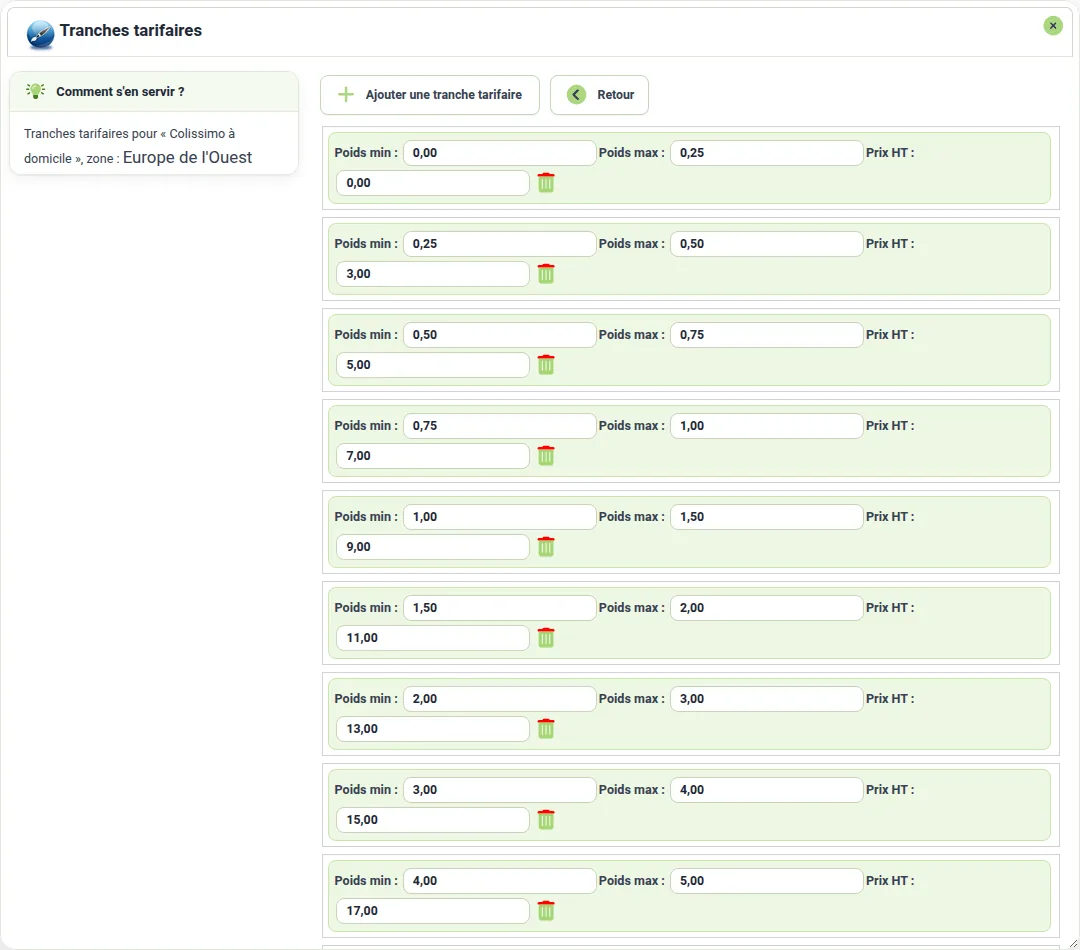
How the price is calculated
- The weight of the order is the sum of the weights of the products: make sure you enter the weight of each product;
- the zone depends on your customer’s delivery country;
- the rate for the matching weight band is shown in the basket.
Offering free delivery
In the “Orders” menu, rules engine: combine the “Order amount” condition with the “Free delivery” benefit. For example: free delivery on orders of 50 € or more.
In-store collection is always free of charge.
See also: How do I set up delivery methods?, How do I put products on sale and offer free delivery?, Which carriers are available?.